
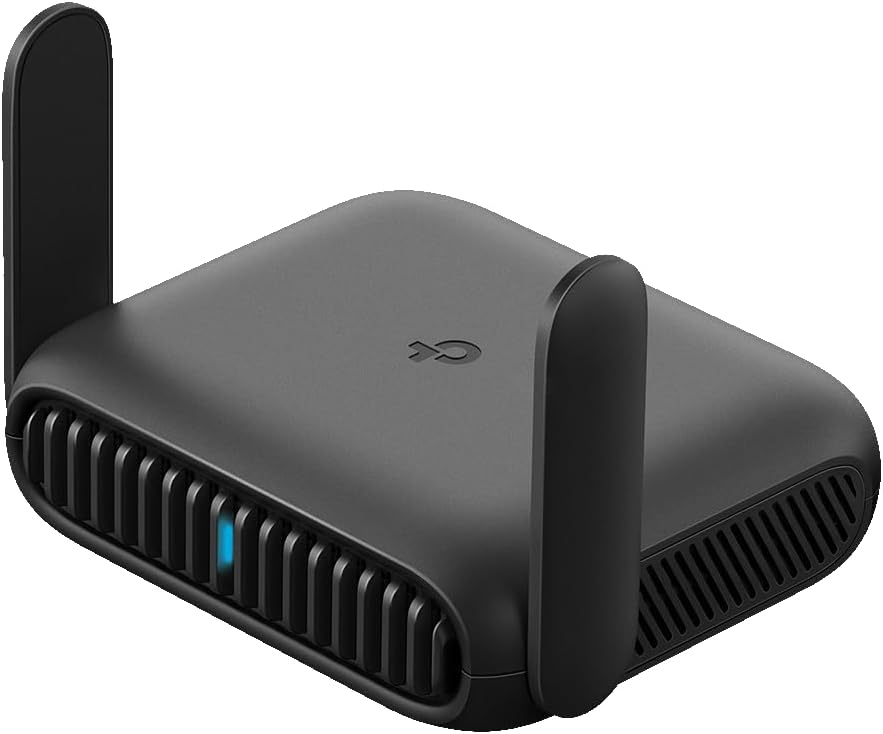
TP-Link Roam 6 AX1500 Portable Wi-Fi 6 Travel Router Dual-Band | Easy Public WiFi Sharing | Hotel/RV/Travel Approved | Phone WiFi Tether | USB C 3.0 | Multi-Mode | OpenVPN, WireGuard® | TL-WR1512X
$49.99
Related Products
![[2-Pack] USB C Wall Charger,50W 5-Port PD Fast USB C Charging Block,2USB C+3USB A Multiport Plug,Type C Power Adapter Brick Cube for iPhone 17/16/15/14/13/12/Pro Max/XS,iPad,for Switch,Samsung,Ultra 2](https://thehome-hub.org/wp-content/uploads/2026/04/71wfX0AdoL._AC_SL1500_.jpg)





Powerful Wi-Fi in Your Pocket
Roam 6 AX1500 is an entry-level Wi-Fi 6 travel router designed for reliable connectivity on the road or at home. Powered by Wi-Fi 6 technology, it delivers improved capacity and faster wireless speeds to support multiple connected devices in hotels, RVs, campsites, or at home. Equipped with a powerful CPU, two Gigabit Ethernet ports, one USB 3.0 port, and a Type-C power supply, Roam 6 AX1500 combines performance with a compact, travel-friendly design. It supports fast data transfers and external storage sharing for added convenience while traveling.
For secure internet access, Roam 6 AX1500 supports OpenVPN and WireGuard, helping keep your connection private across supported VPN protocols. It also includes HomeShield, offering network security tools, parental controls, and IoT protection, with both free and optional paid features available for enhanced protection.* Roam 6 AX1500 measures 4.6 × 3.5 × 1.3 inches and provides Wi-Fi coverage up to 1,500 sq. ft. It operates in temperatures from 32°F to 104°F and can be stored between -40°F and 140°F, with operating humidity from 10% to 90%. Package contents include the Roam 6 AX1500 Travel Router, RJ45 Ethernet cable, power adapter, USB cable, and a Quick Installation Guide.
𝐑𝐨𝐚𝐦 𝟔 𝐀𝐗𝟏𝟓𝟎𝟎 𝐝𝐮𝐚𝐥-𝐛𝐚𝐧𝐝 𝐬𝐩𝐞𝐞𝐝𝐬 – Wi-Fi 6 Speeds up to 1,201 Mbps (5 GHz) and 300 Mbps (2.4 GHz) for up to 60 devices simultaneously. Actual Wi-Fi speeds vary based on source bandwidth, environment, distance to devices, and obstacles. ◇§
𝐏𝐨𝐫𝐭𝐚𝐛𝐥𝐞 𝐚𝐧𝐝 𝐝𝐮𝐫𝐚𝐛𝐥𝐞 𝐝𝐞𝐬𝐢𝐠𝐧 – Roam 6 AX1500 is a pocket-sized travel router compactly designed for trips and adventures, featuring a 1 Gbps WAN/LAN port and a 1 Gbps LAN port for reliable wired connectivity.
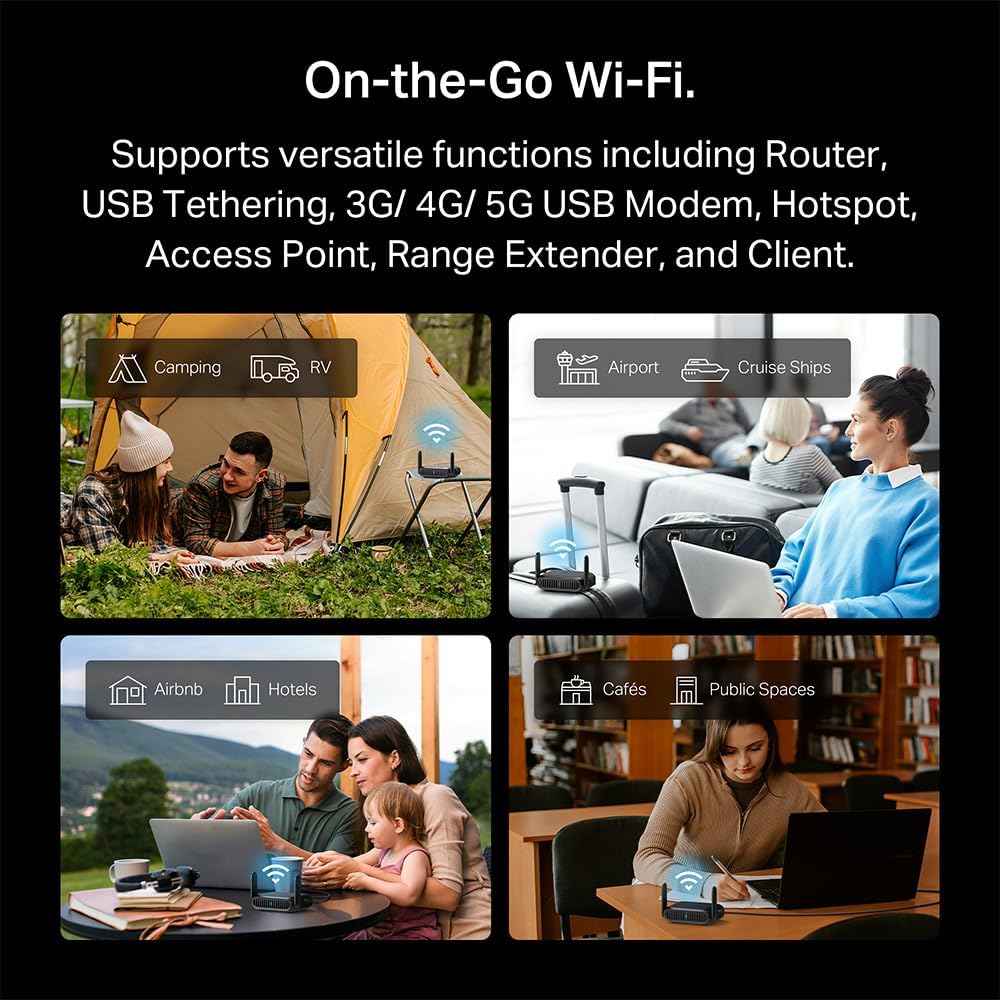
𝗦𝗲𝗰𝘂𝗿𝗲 𝗪𝗶-𝗙𝗶 𝗼𝗻-𝘁𝗵𝗲-𝗴𝗼 – Connects to public Wi-Fi and creates a private, secure network for all your devices. Supports multiple devices at once, ideal for hotels, Airbnbs, airports, and even home use. VPN connectivity enables secure remote work.
𝐌𝐮𝐥𝐭𝐢𝐩𝐥𝐞 𝐰𝐚𝐲𝐬 𝐭𝐨 𝐜𝐨𝐧𝐧𝐞𝐜𝐭 – (1) Router Mode: Connects to public Wi-Fi, ISP, or phone (USB tethering). (2) AP/RE/Client Mode: Adds WiFi to wired setups, extends WiFi, or connects wired devices wirelessly.
𝐎𝐮𝐫 𝐜𝐲𝐛𝐞𝐫𝐬𝐞𝐜𝐮𝐫𝐢𝐭𝐲 𝐜𝐨𝐦𝐦𝐢𝐭𝐦𝐞𝐧𝐭 – TP-Link is a signatory of the U.S. Cybersecurity and Infrastructure Security Agency’s (CISA) Secure-by-Design pledge. Advanced security is integrated into the device’s design, development, and ongoing maintenance.
𝐎𝐧𝐞-𝐬𝐭𝐞𝐩 𝐜𝐚𝐩𝐭𝐢𝐯𝐞 𝐩𝐨𝐫𝐭𝐚𝐥 𝐚𝐮𝐭𝐡𝐞𝐧𝐭𝐢𝐜𝐚𝐭𝐢𝐨𝐧 – Log in once on the Tether App to easily create a secure private network from public W-Fi for all your devices. No repeated logins needed.
𝟐𝟒/𝟕 𝐬𝐞𝐜𝐮𝐫𝐞 𝐬𝐮𝐫𝐟𝐢𝐧𝐠 𝐰𝐢𝐭𝐡 𝐕𝐏𝐍 𝐞𝐧𝐜𝐫𝐲𝐩𝐭𝐢𝐨𝐧 – Supporting OpenVPN and WireGuard, Roam 6 AX1500 can keep your network private and secure from anywhere in the world, whether you’re working remotely or browsing on public WiFi.
𝐌𝐮𝐥𝐭𝐢𝐩𝐥𝐞 𝐰𝐚𝐲𝐬 𝐭𝐨 𝐩𝐨𝐰𝐞𝐫 𝐲𝐨𝐮𝐫 𝐫𝐨𝐮𝐭𝐞𝐫 – Power the Roam 6 via its USB-C port using the included adapter or any 5V/3A PD power source, like a power bank.
𝐄𝐚𝐬𝐲 𝐬𝐞𝐭𝐮𝐩 𝐚𝐧𝐝 𝐦𝐚𝐧𝐚𝐠𝐞𝐦𝐞𝐧𝐭 – Quickly set up your travel router using the free Tether App or the router’s web-based management page. Keep your WiFi performing at its best by keeping the firmware updated through the App.
𝐏𝐥𝐞𝐚𝐬𝐞 𝐧𝐨𝐭𝐞 𝐭𝐡𝐢𝐬 𝐦𝐨𝐝𝐞𝐥 𝐝𝐨𝐞𝐬 𝐧𝐨𝐭 𝐬𝐮𝐩𝐩𝐨𝐫𝐭 𝐎𝐩𝐞𝐧𝐰𝐫𝐭
8 reviews for TP-Link Roam 6 AX1500 Portable Wi-Fi 6 Travel Router Dual-Band | Easy Public WiFi Sharing | Hotel/RV/Travel Approved | Phone WiFi Tether | USB C 3.0 | Multi-Mode | OpenVPN, WireGuard® | TL-WR1512X
Add a review
$49.99
Monte Sanchez –
Easy setup
Worked well while traveling and staying at air anb
Maria –
Check with carrier before ordering anything>>>
Great product but my carrier only allows their product on the extended rv traveling wifi. My fault I should have called them first.
Servo –
Impressive
This one lacks everything except a usb port and Ethernet ports. It has a long range and low transmission broadcast get close connect and it has a lot of range. It has half the bells and whistles BE3600 and AX3000 and transmits 6ghz and is the easiest of all to use. It has WPA2 & 3 personal as its max security protocol. I tried connecting it to a WiFi 6E network to see if it will use the E it doesn’t but what it does have is 5ghz not just 2.4ghz and the usb has tether and can use a tp-link mini usb in its USB need to look up why but it is good to know. Like the others I can’t merge the networks it should be merged and auto designate but all 3 seem to lack that. The security options in this one is different you can really secure it. It does not require an online account for enhanced security so AX3000 is the only one that seems to. The amount of modes it has makes it really connection friendly all types of connections and modes are available. It even has an isolation mode so devices can’t see each other on the same device. Ultra secure mode lets you use DNS services and it has every secure mode on. It has basic scheduling too so it can auto block the internet. I have 2 isp’s and one has WiFi 6ghz only mode in its router and if it is turned on all legacy device go through a shared IOT network so I have to keep it at legacy range. Not anymore this can act like a go between the other 2 not in the same way as this one they are more settings you need to adjust but this one one toggle. The VPN’s are all available the update added more vpn options. The network storage option via usb is simpler than the other 2 also. As for speed this thing seems to be built for it even wirelessly cliented. Out of all 3 this is the most simplest one and it is made better by the fact it was made for windows 11 in mind and enabling Ethernet only devices use of it as a connection device and the Mac cloning, binding and customizing allows me to fool my router into thinking one device is another so be aware of that. Simply put out of all 3 this one is made as not travel router but also a extender hotspot and as a WiFi adapter for your computer. The other 2 try to do more but here it is trimmed down. Legacy connection device always use WPA2 and the more advanced machines wpa3. Now that I have all 3 the AX1500 has expandability and the simplest UI. It doesn’t even need a TP-link ID because it only uses it for remote use and has all the security integrated. It even has a stealth mode so network traffic is hidden better in client mode. It’s worth getting being the simplest and have so many security options makes the more advanced version over kill. What I like best about it is once setup adding a mobile device to control it seems to be what was the main idea. I am testing the isolation with windows devices if they can’t see each other this is the best travel router to have because I can mix and match devices and not worry about syncing. TP-link is on a role just add a VPN if you plan to go high risk. Great device.I used the tp-link tether app and it was updated to be amazing with this device. Forget wireguard and the other vpn’s through the tether app you can add other vpn’s such a as Nord and an anti virus Norton. The cost money while the others are free but for the not so tech savvy this is a god send. Norton is not the best anymore but it is a full suite built into the app which communicates with the travel router and can actually protect you more. So having an account is worth it with this alone you can ensure how you connect is always going to be safe on your end.
eric elkins –
Rv
Easy setup
Johanna G. Minten Gutierrez –
Perfecto!!!
Muy facil de instalar… el tamaño es divino!!!!
IWX –
Easy to set up and use, and it just works.
This little portable router is really handy, especially if you do things like trade shows or exhibits where you need a Wi-Fi connection and you don’t want to pay the exorbitant rates of the venue or the union that’s running the place.In my case, it’s a perfect solution whereby I just use my Wi-Fi hotspot connection on my phone to run the router and then I connect the routers ethernet port a network switch…. And that handles all of my display devices that need internet.Saves a boatload of money.As far as travel goes it works just as well. You can use it to hook into the hotel Wi-Fi and then use that to run a cable over to your laptop or to whatever other devices you might have. Again, this is useful if you do a lot of exhibits because you can set up all the stuff in your hotel. Am rim in advance with this router and then just simply take it to the display hall.The user interface makes sense and once it’s configured it just works.Overall, I think it’s well designed and I really like the fact that it’s very compact. I took a picture of it next to a quarter and you can see what I mean.I also like the tether app that comes with it so that you can do all the configuration on your phone rather than needing to hook your computer up. Of course, if you’re used to a GUI on a web browser, it works just as well by going to 192.168.0.1 when you’ve got it plugged into your device.It does come with a sticker that is the default password that you really need to be sure to take a picture of just in case you lose it or it gets peeled off. They don’t automatically attach it to the device. So get yourself a backup photo so that you can get back into the system if you need to.
Xing –
Unstable file sharing
File sharing is very unstable and slow
Anthony Maio –
Streamlined and Simple for Privacy Minded Travelers
This has a USB-C power supply, a USB-A port for helping with flashing, a WAN port for inbound Internet and a LAN port for one device to be connected directly to the router like your laptop. The idea behind this is for security when you’re travelling, rather than use the for-pay or semi-private shared WiFi in a hotel, you have the router between you and other guests.Instructions are basic but enough to get started quickly. The speed is AX1500 so be aware it’s not going to be as fast as your home Wifi router if you have something more robust, you will max out at about half speed. Honestly you likely won’t even be able to notice unless you’re playing games. Likewise, don’t expect the signal strength to go through many walls, it’s intended to be used in a small hotel room.The feature set is minimalist and it complements the streamlined “travel” identity of the product.Overall, I recommend.