
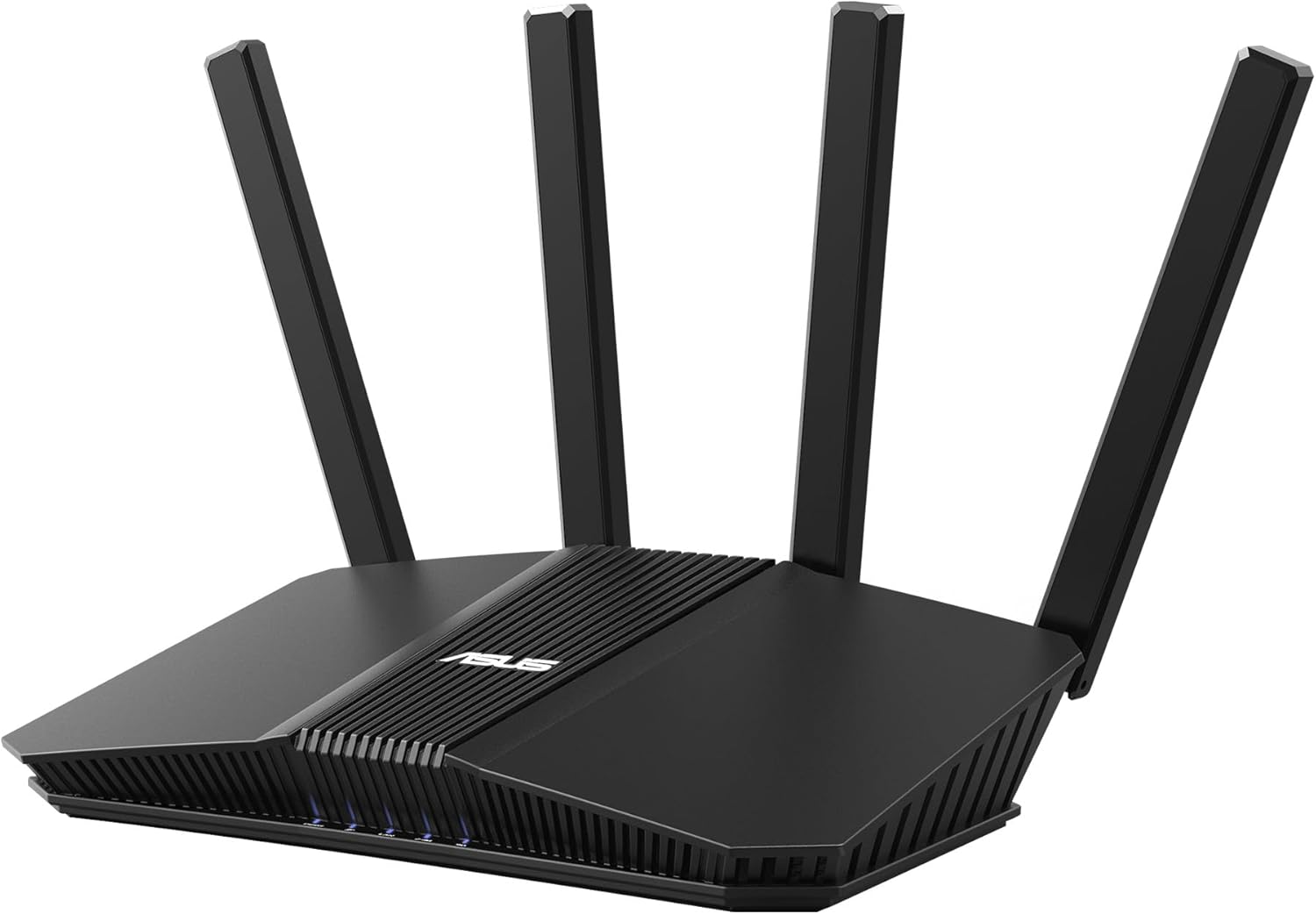
ASUS RT-BE58U WiFi 7 BE3600 AiMesh Extendable Router, 4K-QAM, MLO, AI Detection 2.5G Port, Four 1G Ports, Commercial-Grade Network Security, Parental Control, IoT Network, Kid’s Network, VPN Network
$88.98
Related Products



ASUS RT-BE58U is a 2×2 dual-band WiFi 7 router that provides up to 160MHz bandwidth and 4096-QAM for dramatically faster wireless connections. With a total networking speed of about 3600 Mbps — 688 Mbps on the 2.4GHz band and 2882 Mbps on the 5GHz band — ASUS RT-BE58U is 1.2X faster than 802.11ax 2×2 dual-band routers.
Beyond-fast WiFi 7 (802.11be) – WiFi 7 (802.11be) dual-band extendable router boosts speeds up to 3600 Mbps, with 4096-QAM increasing a single frequency band’s transmission speed by 1.2 times
Unleashing Multi-link operation (MLO) for Ultra-Smooth Connectivity – Link to multiple bands at the same time to ensure stable internet connections and efficient data transfers
Versatile WAN configuration options – Establish always-on internet through AI WAN detection and a convenient USB port ready for 4G LTE and 5G Mobile tethering.
Smart Home Master – Easily establish up to three SSIDs with Smart Home Master for easy IoT device setup and management, instant VPN connections, and convenient parental controls.
Commercial-Grade network security – Network security with commercial-grade AiProtection Pro powered by Trend Micro, plus a one-tap security scan and Safe Browsing.
12 reviews for ASUS RT-BE58U WiFi 7 BE3600 AiMesh Extendable Router, 4K-QAM, MLO, AI Detection 2.5G Port, Four 1G Ports, Commercial-Grade Network Security, Parental Control, IoT Network, Kid’s Network, VPN Network
Add a review
$88.98
Carolyn –
Good coverage and easy setup
Good wifi 7 router with good coverage for the price. Easy setup great speed and everything connected with no issues.
Andy W. –
BE58U is a solid router and great as a mesh component
This BE58U router is my second ASUS router. My first, an AC66U has been repurposed as a mesh node on my new Asus mesh network. The BE58U is probably overkill for my needs – about 20 connected devices over 3 floors and 3200 SF home. No gaming but 2k Netflix and other streaming. I have no devices that currently use wifi 7 and since the AC66U node is only wifi 5 there’s no dedicated backhaul channel.First, the BE58U by itself seems to have slightly less range across both 2.4 Ghz and 5 Ghz bands than the old AC66U router. If I was using this by itself, I’d be disappointed and probably return it. As a mesh router using the AC66U as a node, it’s a whole different story. Coverage and speed across both bands is vastly improved and at least part of my home is future-proofed for wifi 7. Much better set-up than my old TP extender set-up.In a perfect world, I’d have a wifi 7 tri-band router and mesh node but cost is an issue. For now, a dual-band wifi 7 coupled with an older wifi 5 node gets the job done nicely with room for future upgrades (maybe a cheap Asus wifi 6 router on E-bay?)BTW, setup was easy, no random network drops or resets, unit runs relatively cool, no network incompatibilities or glitches. I’ve had none of the issues mentioned in any of the negative reviews – at least not yet and never had issues with my AC66U. The Asus software and phone app are easy to us and provide a lot of useful information. The network security tools are also very good. I consider this a solid value and the mesh network a real upgrade in house-wide coverage.
Tuna’s Castle –
“Works well after fixes, but not beginner-friendly UI
Fast router with good hardware, but the firmware is frustrating. Be warned that the settings are very different from Wi-Fi 6 models. Streaming ad-supported services like Pluto TV (and similar) may not work out of the box due to hidden or poorly implemented network settings.One major issue: just because a feature says “Disabled” does NOT mean it’s actually disabled. You still have to click Disable and then hit Apply, even if it already appears off. This caused hours of troubleshooting.Once fixed, it works fine, but the UI is confusing and not user-friendly. Important settings are not available in the mobile app and must be accessed through a web browser, which is not clearly explained. This router is not plug-and-play unless you’re very tech-savvy or patient.Update: I’ve had this for over 30 days and the amount of times my settings have reverted is insane. It continuously reverts settings on it’s own that allow ad supported sites. Even though it visually says a setting is disabled you have to click apply again and again and again. The settings not saving themselves is insane!!! Why does the apply button even exist if they just randomly revert.⭐⭐⭐⭐⭐ For speed⭐ For poorly implemented network settings and blocking ad supported streaming sites.
Nick/Tiff –
Works good for connection and speed the settings for certain things don’t.
So far so good was an easy setup took 10 mins max. Configuring the settings isn’t hard but parental settings do not work. You can’t block URL with this or anything. I tried some of the DNS filtering settings for family they have built on it blocks certain devices from even connecting so I was forced to turn off. You will have to look up guides and hopefully they work if you do want clean browsing it blocks websites that it shouldn’t and you have to pay monthly for configuring access. The coverage/range has been good all devices connect fine through my whole house on wifi so 1200sqft or so. You can choose to set two different wifi channles for 2.4 and 6 incase some aren’t compatible. Quality seems fine I recommend but not if you’re looking for a simple plug up set some simple settings for safe family surfing.
Someone –
Awesome router
Fast, decent range, so many options for security/control over your network. Pricey but a great value. I have 1gbps speed and get around 700mbps download on wireless pretty consistently throughout my home. And hardwired to the first ethernet port(the one rated up to 1gbps) I consistently pull around 900mbps.
DoubleFault –
Solid Wi‑Fi 6 Router, but Advanced Settings Don’t Behave as Expected
The RT‑AX3000S delivers good overall performance for a Wi‑Fi 6 router in this price range. Throughput on the 5 GHz band is strong, latency is stable, and coverage is more than adequate for a typical home. For general use — streaming, browsing, and Wi‑Fi calling — it performs reliably.Where things get interesting is in the “Professional” settings. Several options that appear to be per‑band controls (Airtime Fairness, MU‑MIMO, and Xtra Range 2.0) actually behave as global toggles. Changing them on the 5 GHz page also changes them on the 2.4 GHz page, even though the interface presents them as independent. This doesn’t affect basic users, but anyone tuning each band for different device classes (IoT on 2.4 GHz, modern clients on 5 GHz) should be aware of this behavior.Aside from that quirk, the router is stable, offers good Wi‑Fi 6 performance, and represents solid value. Just expect a few surprises if you plan to dive into the advanced configuration.
No Mad Dad –
Powerful Router with Some Limitations
Very user friendly right out of the box. Basic setup is easy and straightforward. For advanced users there are some nice features, but there are also some limitations. As an example, I wanted to create separate vlans with specific address spaces. The router decides this for you. Not a big deal, but not as flexible as I had hoped. Still, there is a lot of functionality in an affordable router.
WEH –
Good router, Fast, good app, IoT and Guest networks, Mesh, WPA2 and WPA3.
Clifton Bekker –
Good quality product with fast turnaround time from the supplier and Amazon.
maximillion –
افضل جهاز راوتر منزل اشتريته الحمدلله، مدى ممتاز و تغطيه رائعة، أداء متفوق على أجهزة اعلى منه مستوى و سعر،، انصح به بشدة
Dave Collins –
Great router! Very compact, perfect for travelling. Speed and range are very impressive for such a small package. Works great with ASUS AiMesh.
Les Coulthard –
Great product and good delivery time