
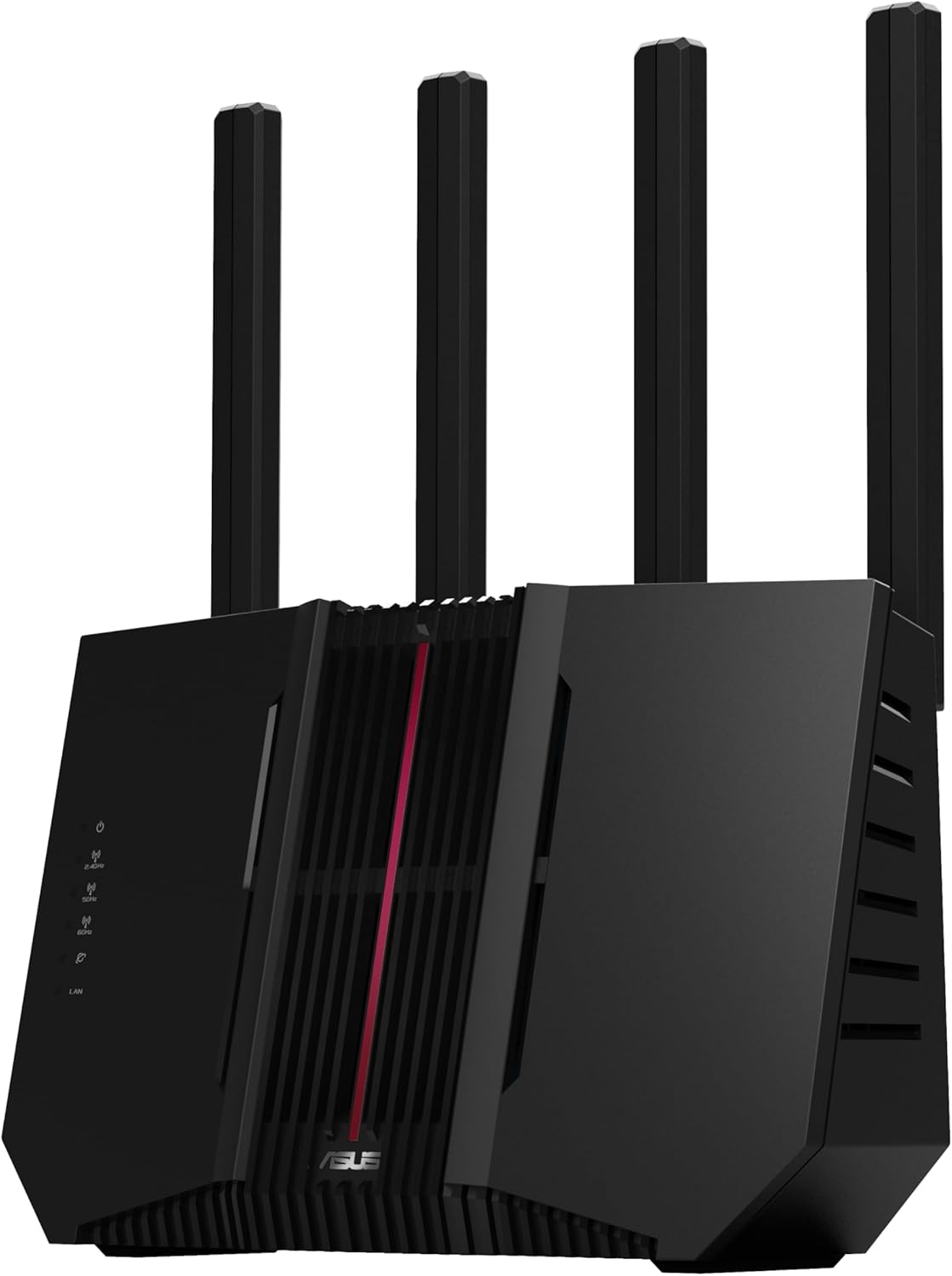
ASUS RT-BE92U BE9700 Tri-Band WiFi 7 Router, Supports New 320MHz Bandwidth & 4096-QAM, MLO, AI WAN Detection, AiMesh Support, Subscription-Free Network Security & Comprehensive VPN Features
$226.99
Related Products




Elevate your smart home with blazing-fast tri-band WiFi 7 speeds of up to 9700 Mbps, boosted range with ASUS RF and AI-boosted Smart AiMesh technology and up to 20G of wired capacity. The ASUS RT-BE92U unleashes superior 6 GHz WiFi and future-proof 10G networking. With the new ASUS Network Security suite and advanced features such as the IoT Network, the RT-BE92U safeguards your network end-to-end, 24/7.
Beyond-fast WiFi 7 (802.11be) – New 320MHz channels in the 6 GHz band and 4096-QAM significantly increase network capacity and throughput, with speeds of up to 9700 Mbps
Multi-link Operation – Link to multiple bands at the same time to ensure stable internet connections and efficient data transfers
Versatile WAN configuration options – Establish always-on internet through AI WAN detection and a convenient USB port ready for 4G LTE and 5G Mobile tethering.
Smart Home Master – Easily establish up to three SSIDs with Smart Home Master for easy IoT device setup and management, instant VPN connections, and convenient parental controls.
Subscription-free network security – Commercial-grade AiProtection Pro powered by Trend Micro, plus a one-tap security scan and Safe Browsing
9 reviews for ASUS RT-BE92U BE9700 Tri-Band WiFi 7 Router, Supports New 320MHz Bandwidth & 4096-QAM, MLO, AI WAN Detection, AiMesh Support, Subscription-Free Network Security & Comprehensive VPN Features
Add a review
$226.99
M.S –
For me. Quality, stable, fast.
It works beautifully. Sadly at the 6 week mark it started acting up. Absolutely nothing was changed or updated just acted up. Hard reset nothing, merlin side, any firmware, nothing. Today! New firmware April 1st 2026 from Asus. Does not correct it. Yes even hard reset after the latest firmware. :/ 5 and 6 ghz works but not at its full potential anymore. 2.4 just doest exist, won’t broadcast. But for sure a very respectable strong router. Was very stable with almost 30 home devices.
Justin –
Downgrade from My “Free” ISP Router for Gigabit Internet
I bought the ASUS RT-BE92U expecting a major upgrade for my fiber connection, but it is consistently worse than the BGW320-500 router provided by my ISP (AT&T). In real-world testing, this WiFi 7 beast delivers less than half the speed at the same distance as the ISP router. Where I used to get 600Mbps, I am now struggling to hit 200Mbps. Even more frustrating, I am the only 6GHz network in my area, so there is absolutely no overlap or congestion like you find on 2.4GHz or 5GHz, yet the performance is still abysmal. Even on this “clean” 6GHz lane, the speeds do not come close to the ISP router. Sitting right next to the unit with only one device connected, my ISP box hits 900Mbps while the ASUS caps out at 400Mbps at best.The hardware and software compatibility is equally disappointing. I updated the drivers on my laptop and used an iPhone 16 Pro Max with WiFi 7, yet neither device could reach the “crazy” speeds promised on the box. I even tried manually creating a dedicated network with 6GHz to isolate the signal, but I still ran into the same issues of getting half the speed of my old setup. Finally, the app layout is kind of “jank” and unpolished. It actually did not provide the same level of customizability as the ISP’s web GUI.I believe that if you wait a bit more this router will get better and be able to be good, but right now I would just wait or if you want to be an early adopter look for a more expensive one. You kind of get what you pay for. If you have high-speed fiber, stick with the “free” box for now. This is currently an expensive, buggy mess.TLDRCoverage: AwfulValue for money: Okay *Ease of Use: GoodEase of Setup: Okay **Customization Options: Okay **Streaming capability: Okay *** : Value for money is a little subjective here depending on if you get it on sale or not. You do get what you pay for, but at this point with the software issues you really don’t.** : If they can fix their software issues these can move up to good or amazing
John –
Easy set-up, very fast, feature rich. I am impressed so far!
So far so good! I got this for my home network wanted something full-featured without the subscriptions. My previous device would stutter and take a while for the decent picture when watching youtube and netflix. I hooked this up behind my ISP firewall (currently doublenatting) and notice the speeds are great I can stream music, while wife on video conference call and I can run a speed test with my phone all at the same time with no interruptions!My last firewall would stutter when I launched a new application from another device on occasion.I like that I can check status from my phone. I just set this up a few minutes ago so still playing with the settings.I did have an issue not able to log into the device after I changed the Wifi Password, should not be related but affected my login. I had to power cycle the device and then it all came back.I am using the USB port by connecting it to a spare 4 tb Hard Drive where I keep my music and back up files.So far everything is working well. Wi-fi speeds are decent. Most of my gear runs wifi 6 and MIMO, backwards compatibility is not an issue.. I have not tested any of the filters.The wall mount a bit flimsy but it works but hard to hide the wires, Wish the USB port was at a different angle, so it does not push the bottom out when mounted on the wall.. I worked for 24 years with Cisco network devices and firewalls, this was easy to set up, has a help on each menu and a setup wizard. It then lets you go pretty granular into the settings. I think they did a nice job on this one.Asus is from Taiwan not mainland China so hopefully it does not leak data.
G. Schick –
BE92U Operation Stabilized after latest update and hard reset of all nodes.
After reading the bad reviews and seeing the high unit return rate, I decided to take the risk. I installed an ASUS BE92U/BE 9700 to replace an old ASUS RT AC86U. My goal was to provide a stronger signal and the newer and faster 6G in the home “Mesh”. I have four ASUS routers connected by wire (1G Ethernet) to cover the 4000 SQ ft area of a ranch house including an outdoor pool area. The size/shape and type of construction (brick/cement) required more routers than normally needed. I have had very good experience with these ASUS routers, the older model units has been in service in this attic for 10 years , surviving heat in the summer and cold in the winter. So with that kind of record, I felt the ASUS product deserved a try. After installation in the Attic for 5 days it survived a couple of 90 degree (F) days, and worked well. Suddenly, on a subsequent cooler day with 80 degree temperature high – the unit went offline, and the Gateway (an RT-AXE7800) stopped broadcasting any WIFI signal. A power cycle reboot did not recover operation of the gateway. So all units were factory reset, and I added each node back, one by one. Coincidently, an update for the BE92U came out (July 4?) while was restoring operation, so I installed the new update. The mesh had been operating for 7 days with ASUS BE92U as node in the mesh.
SC –
DECEMBER 2025 UPDATE! Waited 6 months. Bought again, @ Staples. FINALLY, appeared that the bugs have been conquered. Wickedly fast, idle CPU, the 2.5 ports are such a bonus. Finally, finally, (1000 finallys)… seems like Asus has conquered the early bugs. Rock solid now.—-JUNE 2025 ORIGINAL review: I am HUGE asus router fan, I have had ASUS routers for more years than I can remember. I really wanted to love this new model. Sort of a reasonable price point to get into Wifi 7. I bought but had to return. I even then got the inkling to try again, thinking maybe my first try was a lemon. Bought new from Staples, but same thing, had to return.It’s very hard to put a finger on, it’s just inherently not very reliable. I had been running RT-AX86U x 2, wired, which is always solid has a rock. Before those, AC86U.The CPU cores under the Status table, their utilization is definitely higher than any other ASUS router I have ever had. Whereas normally flatlining around 0%.. .these appear more frothy. Even when router is idle.It just feels like ASUS has an immature round of WIFI 7 devices out right now. I’m sure their next models will be amazing.I ended up on 2 X RT-AXE7800 and despite being older, that firmware by now is tried and true. And they are CRAZY rock solid in my mesh at home. 1 floor and 30 feet apart, back haul rates of 2800 on 5GHZ.I have a feeling the RT-BE92U has some hardware problem out of the box, that they have mitigated some with software updates. The staples one did that 100% CPU core pin thing that everybody talks about, right out of the box, before first firmware update.ASUS, please give us a Wifi 7 workhorse that is as famed-solid as the RT-AX86U.
Wuacha –
Excelente productoCumple su función
Mohammed –
very nice the vpn from sharksurf is compatable and good
YF W –
I have to return the router as its connectivity is extremely unstable in my case.My situation: I live in a stacked townhouse (two floors) with Bell 3 Gbps service; I have 5-6 devices, non of which can support Wifi 7 (best can do Wifi 6E). I use the router as AP to enhance wifi coverage and get my place ready for any future wifi 7 device.The router’s signal is strong enough to cover my entire home (when it works) but my phone and computer would frequently lose connection without any reason, particularly when I resume my phone/pc, change location from the first floor (where the router is) to the second, or start a heavy load downloading/uploading. I have to reconnect wifi multiple times a day; the speed is better when newly connected but gets worse as I use.I tried troubleshooting and did some research. With this router, many have complained about similar problems and warned that tri-band/wifi 7 is very new and still requires constant improvement. I’ve also tried different setup, e.g., turn off wifi 7 mode, turn off roaming assistant… to improve stability, but the problem persisted. So be ware of the challenges embracing new technologies.
George Marvin Huergo –
Una basura, muy descepcionado de ASUS con este router, falla a cada rato, se desconfigura, no fucniona como ai-mesh